As of Sunday, May 23, 2021, we are offering a new way to quickly access and view our worship bulletin and prayer list on your smartphone or tablet - a QR code at the entrances to the foyer/narthex and sanctuary. While we first ceased passing out hard copy bulletins for health reasons, distributing them digitally is a great way to practice stewardship of the earth
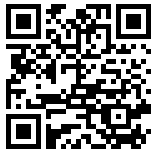
To see the bulletin on your smartphone or tablet:
- Open your Camera App (iOS 11/Android 9 or later; check Settings - Camera to ensure the "Scan QR Codes" setting is toggled green; and ensure that you are in Photo mode)
- Aim your camera at the QR code and make sure it is in focus (you can try it with the QR code in this post!)
- Tap on the pop-up text that appears to go directly to the bulletin link on our website
- Use the finger spread technique to enlarge the text as needed
Here's a YouTube tutorial for iPhones or Android phones (the Android info begins at 3 minutes).
Thanks so much for helping us try something new!
How. Can your phone scan your phone?
Hi John! Thanks for your question. The QR code is simply a hyperlink that you can access on your phone by focusing on the hyperlink with your phone camera. You can also go directly to the bulletin link if you’re accessing the internet on your phone, by heading to epworth.net (that’s actually our web address), and clicking on the worship tab, and the Celtic Christianity Series – or whatever series is current). Scroll to the date you want an click on bulletin and prayer list. we’ve redesigned the bulletin to read legibly on a smartphone screen. Let me know if you have any problems.